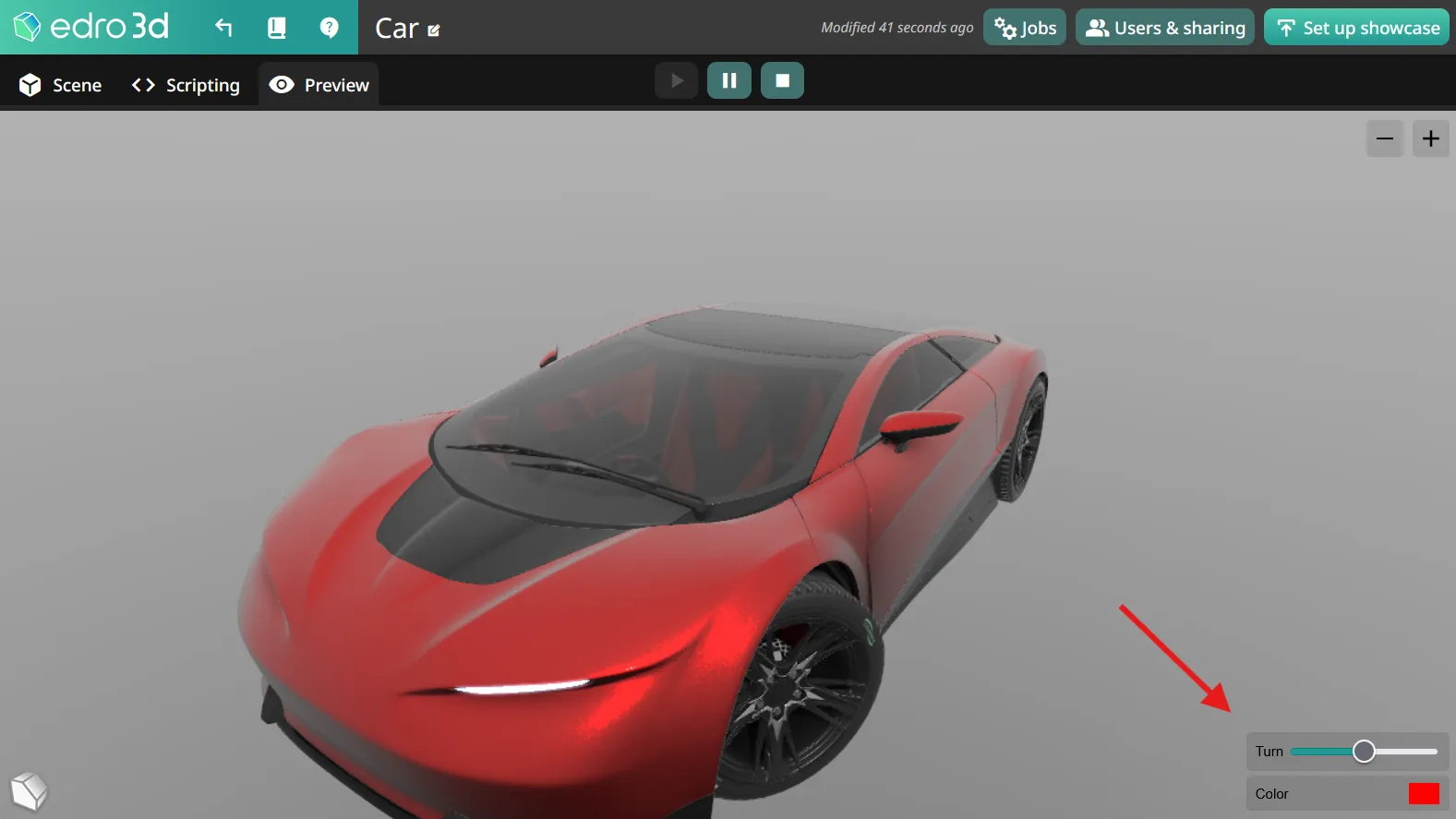

Scene variables
What this covers
Section titled “What this covers”This page describes scene variables — named values you define for a project and then read or write from the node graph in the Scripting tab, or expose to visitors as UI controls.
When to use it
Section titled “When to use it”Use scene variables whenever a behavior needs to remember or share a value — for example, a counter that increases on each click, a toggle that visitors can control, or a color that drives an object’s material.
Managing scene variables
Section titled “Managing scene variables”Manage scene variables from the Scene Variables panel in the Scripting tab sidebar. Each scene variable has:
| Setting | Description |
|---|---|
| Name | The label shown in the editor and, if visible, to visitors. |
| Type | Bool, Number, String / Text, or Color. |
| UI Visibility | Whether the variable is hidden, shown read-only, or shown as an editable control to visitors. |
| UI Control | The input shown to visitors when visibility isn’t hidden — for example a checkbox, textbox, range slider, dropdown, or color picker, depending on the type. |
| Initial Value | The value the variable starts with when the scene loads. |
Depending on the type and UI control, additional options appear — for example minimum/maximum/step for a numeric range, or a list of options for a dropdown.
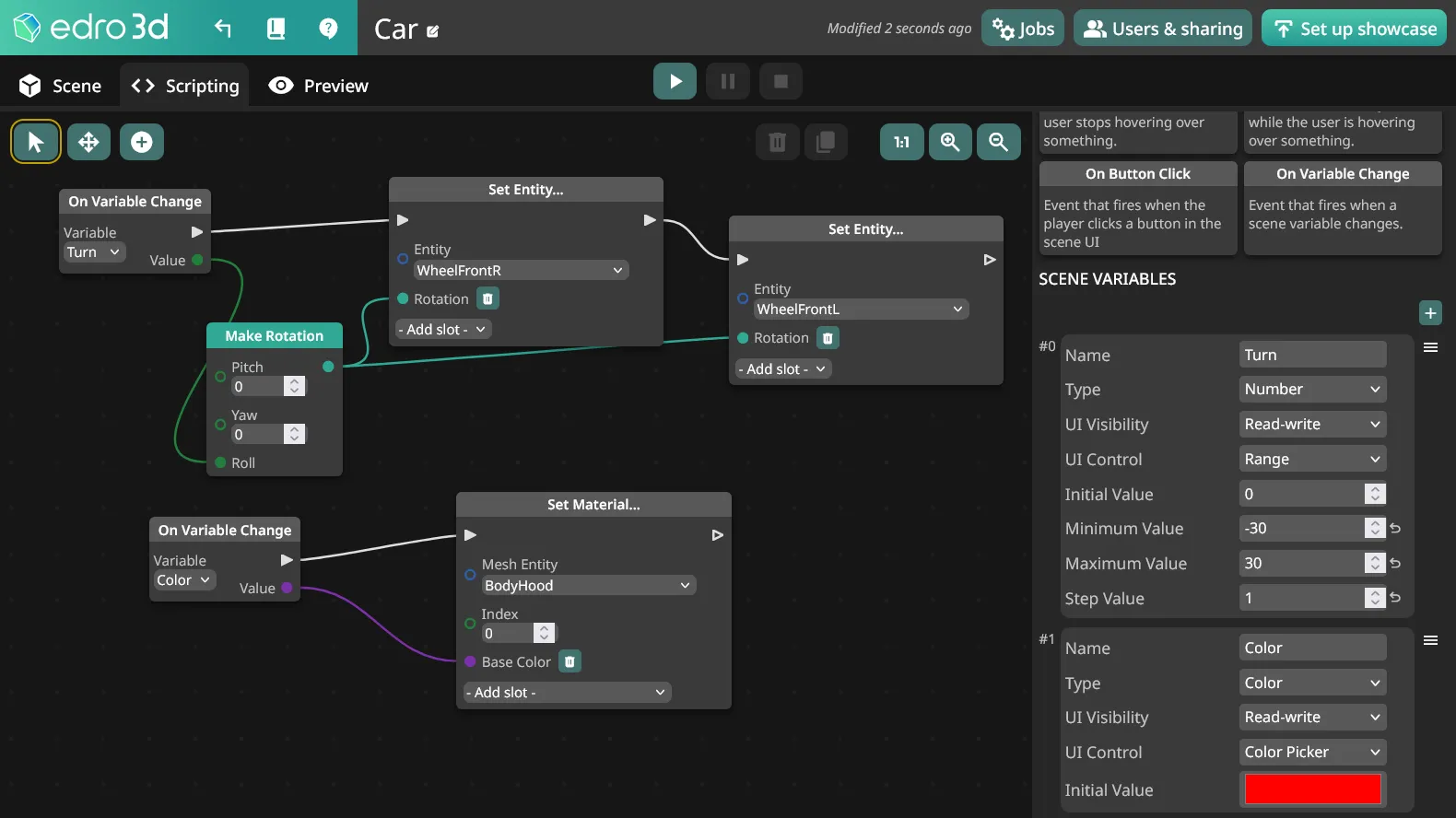
Using scene variables in the graph
Section titled “Using scene variables in the graph”Once a scene variable exists, you can:
- Read its value with the Get Variable node.
- Write its value with the Set Variable node.
- React to changes with the On Variable Change event.
Scene variables in preview
Section titled “Scene variables in preview”The preview will show the scene variables you have defined and allow you to interact with them according to their UI visibility and control settings.